How to make a personal yearbook.
How to create a personal yearbook as an adult: the 4 ways people capture their year, how to collect notes and signatures from friends, and how to print a hardcover.
Written by Philip · Published August 12, 2026
What a personal yearbook actually is
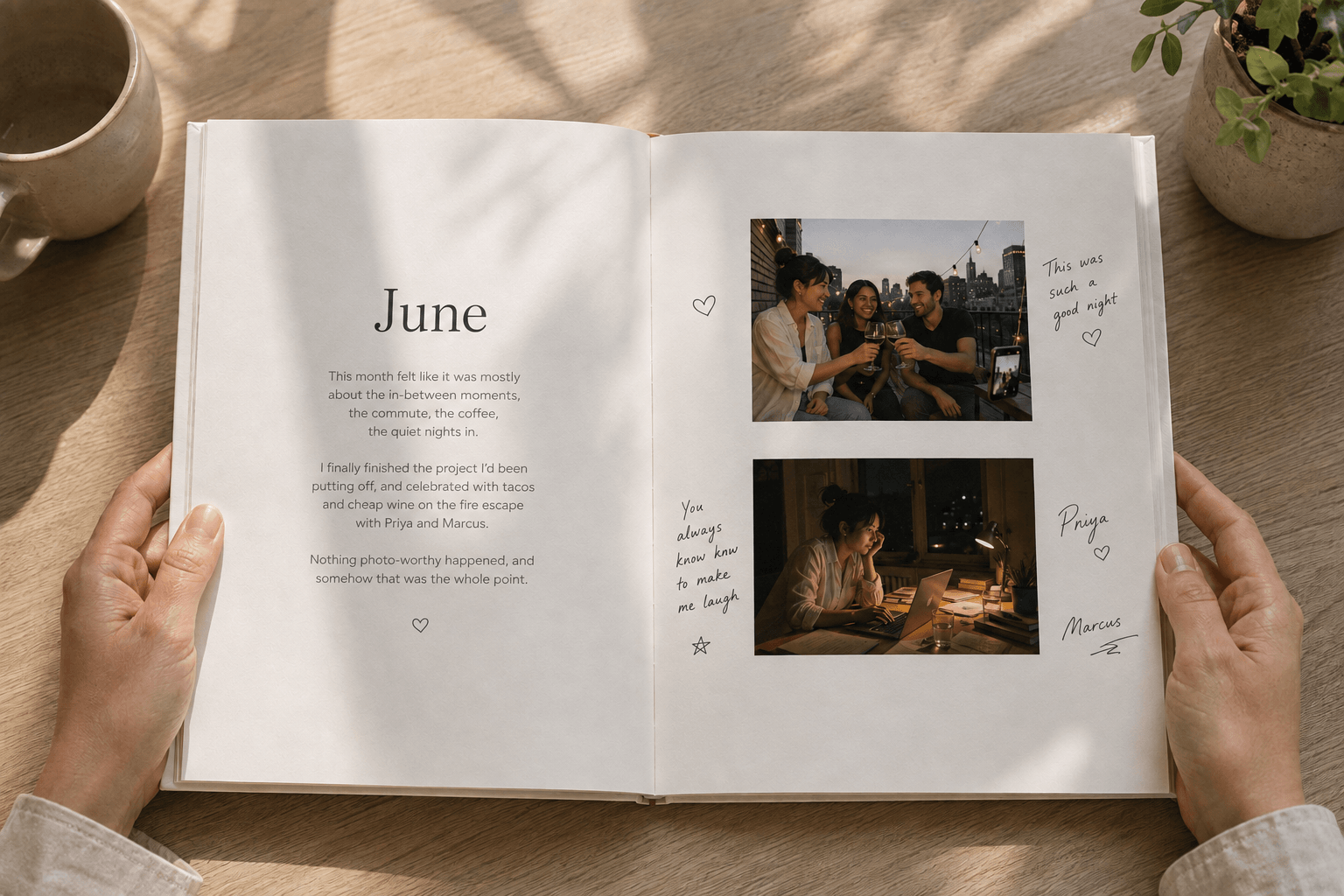
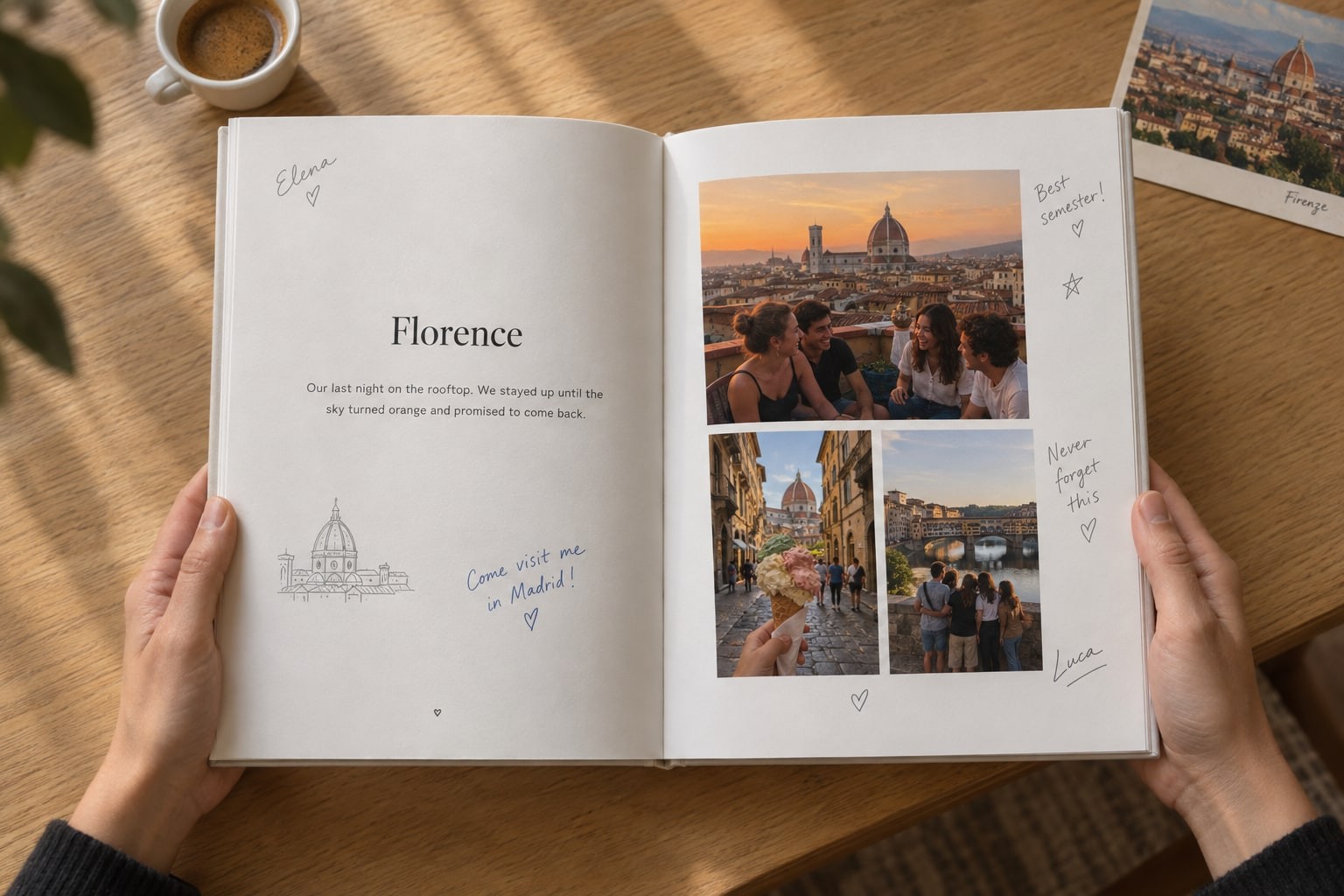
A personal yearbook is a record of your own year, not a school's, that you can turn into a printed hardcover book. It holds your photos, honest reflections written while memories are still fresh, and signatures or notes from the people who were actually there with you.
It sits in the sweet spot between two formats that usually feel incomplete on their own: a standard photo album (which only holds silent pictures without the backstory) and a private journal (which captures your thoughts, but stays text-only and is read by nobody else). A yearbook is designed to hold both, finished with the shared memories of your friends and family.
The 4 rhythms people use to build one
There is no single mandatory schedule for making a personal yearbook. How you build it depends on how your life actually moves. In practice, almost everyone uses one (or a combination) of four rhythms:
1. Right after events or memories. You get home from a weekend trip, a birthday dinner, or a milestone celebration with a dozen photos on your phone. You drop in the best two or three pictures and write a quick reflection while the jokes, conversations, and feelings are still vivid.
2. Spontaneous thoughts and reflections anytime. Not every meaningful moment comes with a camera roll photo. Some of the best entries are sudden thoughts on an ordinary Tuesday: a habit you started, an inside joke with a friend, or something you realized about yourself. A good yearbook lets written thoughts and reflections stand on their own without forcing you to find a matching photo.
3. The monthly review. When starting a new month, take 10 to 15 minutes to look back through your camera roll from the month that just ended. Pick out three to five anchor moments and write a short summary or reflection on how the month felt. Doing this twelve times gives you a complete, rich year without ever feeling overwhelmed.
4. The whole year at once. Some people prefer to wait until November, December, or even January, sitting down to build the entire book in one retrospective pass. While capturing memories closer to when they happen usually keeps the details sharper, building at the end of the year is completely valid. The key is to budget enough focused time: if you are doing it manually in Canva or a physical scrapbook, sorting through 12 months of photos and designing 50 to 100 pages can easily become overwhelming, whereas automated tools can assemble that same year in an hour or two.
Most people find their groove by mixing these rhythms: capturing big trips right away, letting monthly check-ins catch ordinary moments, and doing a final review pass before printing.
The two friction points to plan for in advance
Before choosing how to make your yearbook, it helps to understand where DIY projects usually hit a wall:
First, the layout and design bottleneck. Even if you purchase a pre-made yearbook template on Canva, Etsy, or Creative Market, you still have to manually drag, crop, resize, and align photos across dozens of spreads. Adjusting text boxes, balancing whitespace, and fixing misaligned margins across 50 to 100 pages quickly turns into hours of tedious graphic design work. If you build a physical scrapbook by hand, you face the physical equivalent: cutting, gluing and arranging, with no undo button. For many people that craft is the whole appeal, but it does take time.
Second, collecting signatures and contributions. The defining ritual of a yearbook is having other people sign it. But in a DIY digital document, you either have to give friends full edit access to your entire personal file (risking privacy and accidental edits) or manually copy-paste text messages and screenshots from group chats. With a physical album, collecting notes from friends who live in other cities means mailing a fragile, one-of-a-kind book across the country and hoping it returns intact.
How Yeerbook solves the hard parts
Yeerbook was built specifically to eliminate both of these friction points so making an annual book feels effortless:
Automatic layouts. You choose the photos and reflections; Yeerbook formats every page into a balanced, editorial layout automatically. There are no bounding boxes to resize, no margins to fiddle with, and no design experience needed. Whether you build one page a week or forty pages in an afternoon, the layout handles itself.
Frictionless 1-click signing links. When you want someone to sign a page, you generate a private link for that specific memory. The signer doesn't need an account or an app. They simply tap the link on their phone or laptop to draw a signature in digital ink, write a note, record a voice memo, add stickers, or even contribute their own photos from the event.
Private and end-to-end encrypted. Each signer only sees the exact memory they were tagged in. The rest of your yearbook remains completely private and end-to-end encrypted.
Printed as a real hardcover. At the end of your year, your book is printed as a premium hardcover and shipped worldwide, with up to 120 pages included in a single flat price.
Choosing your next step
Depending on where you are in your planning, here is where to go for the full deep-dive:
If you want to compare Canva, physical scrapbooks, and Yeerbook side by side, read our honest breakdown in How to make your own yearbook (a real step-by-step guide).
If you are ready to build with Yeerbook and want a step-by-step feature walkthrough, see How to build your yeerbook, start to finish.
If you are looking for creative prompts beyond a standard photo log, browse 20 creative spread themes in Yearbook ideas for adults, or explore 25 reflective prompts in Year in review ideas.
If you want to explore the philosophy behind personal yearbooks and why school yearbooks faded, read What is a personal yearbook?.
The 4 creation rhythms at a glance
Whether you capture memories the day they happen or build your entire book in December, here is how the four personal yearbook rhythms compare.
| Rhythm | When you add | Time required | What it captures best | Best for |
|---|---|---|---|---|
| 1. Right after events | Within a day or two of a trip, dinner, or milestone | 5 minutes per memory | Vivid quotes, inside jokes, and immediate feelings | Trips, celebrations, and nights out with friends |
| 2. Spontaneous thoughts | Any ordinary day when a thought or realization hits | 2 to 3 minutes | Reflections and habits that do not have a camera roll photo | Writers and thinkers who want more than a photo log |
| 3. The monthly review | Once a month (for example, on the 1st of the new month) | 10 to 15 minutes a month | 3 to 5 anchor moments per month across the whole year | People who want a steady, low-stress habit without daily notifications |
| 4. The whole year at once | In one sitting at the end of the year or after a chapter ends | 1 to 2 hours with automatic layouts (15+ hours in DIY design tools) | The big-picture arc of a completed year, semester abroad, or trip | Looking back on a finished chapter from your camera roll and calendar |
For a shorter walkthrough of the yeerbook path specifically, see how yeerbook works, or see how friends can sign your pages from any city in how to make a memory book friends can sign online.
The full guides
What is a personal yearbook?
The full definition, and how it differs from a photo book or journal.
Scrapbook vs yearbook
A handmade keepsake or a book your people help write, and when to choose each.
How to make your own yearbook (a real step-by-step guide)
The honest comparison of all three paths, Canva, by hand, and yeerbook, including where each one gets harder than it sounds.
How to build your yeerbook, start to finish
The complete yeerbook-only walkthrough, from your first photo to the finished, printed book.
Yearbook ideas for adults
20 page ideas, for when a chronological photo log isn’t enough on its own.
Year in review ideas
25 questions to help you actually remember your year, not just summarize it.
Frequently asked questions
Do I need to decide on a single creation rhythm before starting?
No. You can freely combine all four rhythms. Most people capture standout events as they happen, use monthly check-ins for everyday memories, and do a quick catch-up pass near the end of the year.
Can I build the entire yearbook at the end of the year?
Yes. Building in a single retrospective pass in November or December is very common. Just keep in mind that manually formatting an entire year in design tools like Canva takes significant time and layout effort, whereas automated tools like Yeerbook can lay out all 12 months in an hour or two.
Do my friends need to create an account to sign my yearbook?
In Yeerbook, no. Signers open a private link directly in their browser without downloading an app or creating an account. They can sign in ink, write a note, place custom photo stickers, leave a voice memo, or add their own photos in seconds.
Is a personal yearbook different from a photo book or scrapbook?
Yes. A standard photo book arranges your photos, and a scrapbook is a hands-on craft built around physical keepsakes. A personal yearbook adds your written or voice reflections, custom photo stickers, and digital signatures from friends, and ends as a bound hardcover book. Our scrapbook vs yearbook comparison covers when each is the better choice.
Can I keep certain pages private while having friends sign others?
Yes. In Yeerbook, every page is completely private by default. When you send a signing link, that person only sees and contributes to that specific memory. The rest of your book remains private to you.
Or skip straight to building it.
Layout is handled automatically. You just add what actually happened.
Try free for 60 days. No credit card required.
Gift a yeerbook